Respond to an ask
Tap Reply and share your contact, a photo or a note. Only the person who asked sees it.
- On an ask you can help with, tap Reply.
- Choose how to respond: share your contact, send a photo (your product, past work, a rate card) or write a note.
- Send. The person who asked gets a notification.
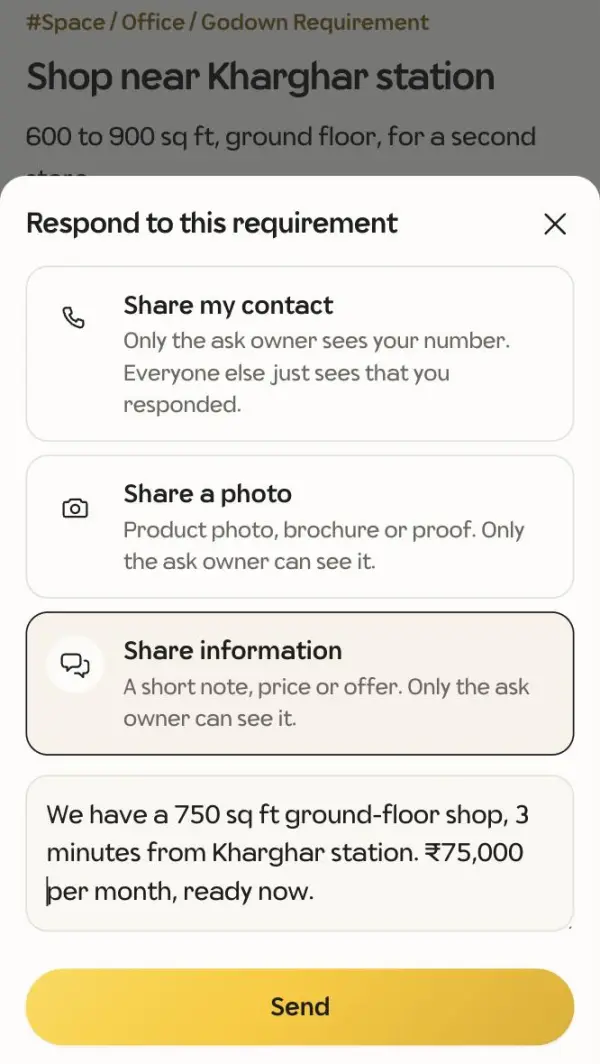
Only the owner of the ask sees what you shared. Everyone else sees that you responded, which builds your reputation.
You can edit or withdraw your response from the ask page. If the owner gives your answer a thumbs up, it counts towards your verified badge.