Your business page and catalog
A free public page with your products and services that you can share anywhere.
Every member gets a public page at webweb.ai/@yourname. Businesses show their catalog, service areas, asks and updates; job seekers show their skills and experience.
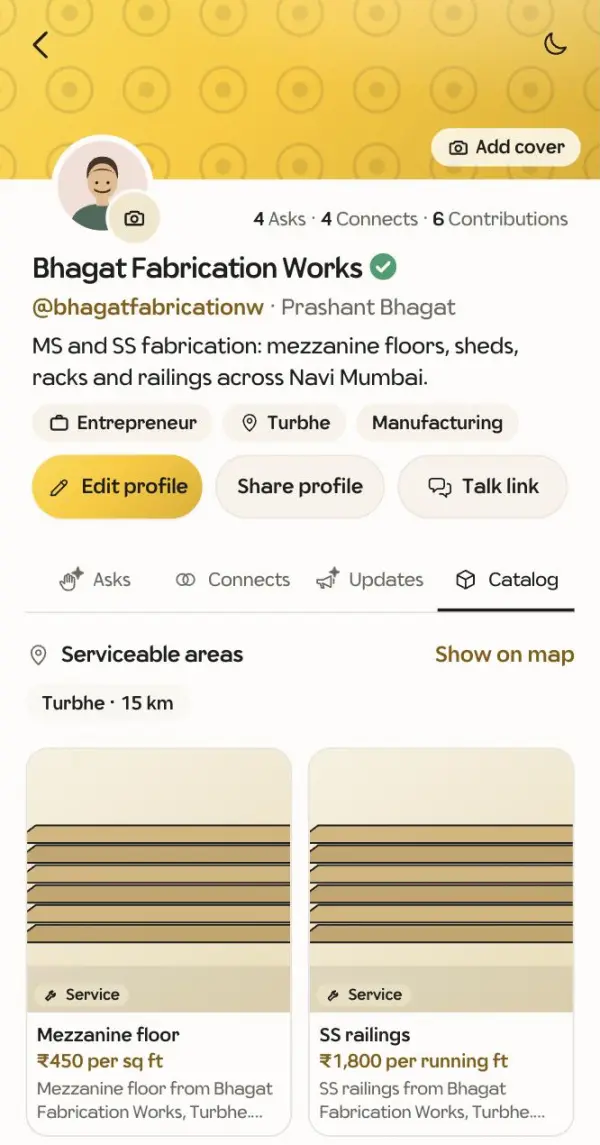
Add catalog items
- Open your profile and go to the Catalog tab, or tap Manage catalog.
- Add an item: name, price (for example ₹450 / kg or On request), a photo and a short description. Mark it as a product or a service.
- Group items into your own categories and reorder them.
Other members can react to, save and refer your items. A good catalog also helps WebWeb send you the asks you can answer.
Share your page link on WhatsApp, your visiting card or your shop counter.